AQA is a full test management and execution platform — connecting your test repositories, managing execution environments, recording results, and applying AI to turn failures into filed tickets. Built and used in production by AQAnetics.

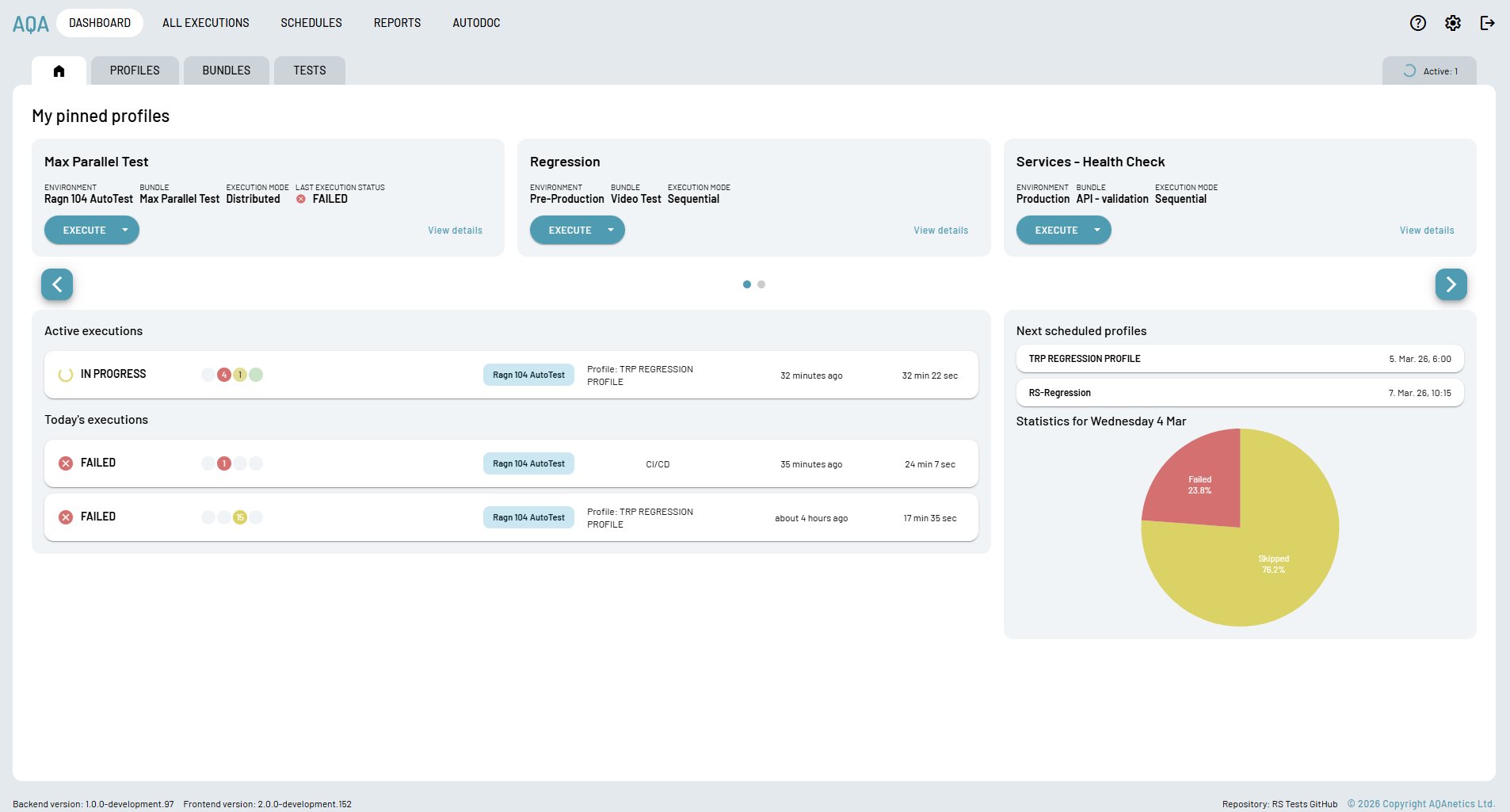
The dashboard surfaces what matters right now — which profiles are executing, what's scheduled next, today's pass/fail ratio, and one-click access to your most-used test profiles.
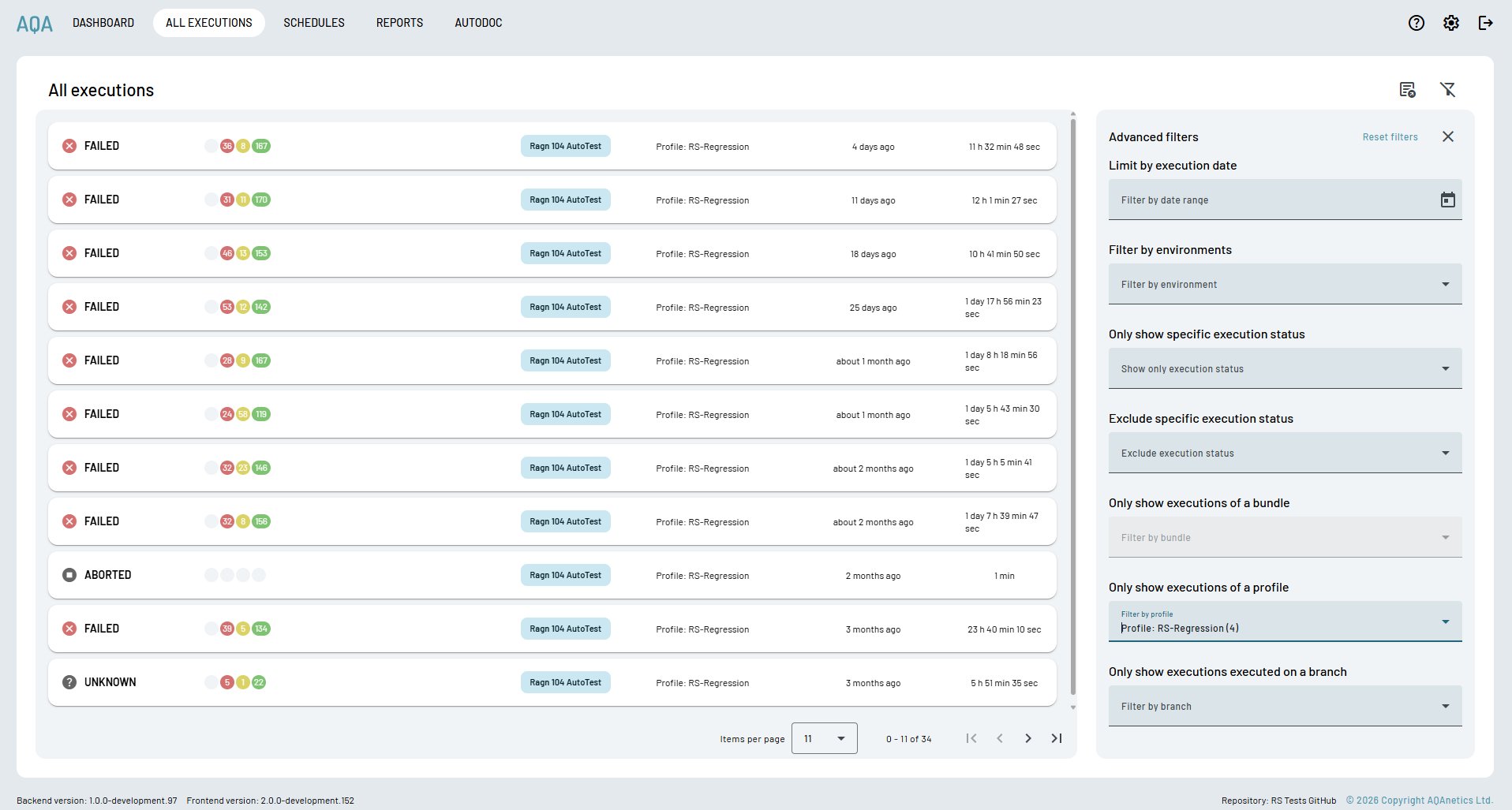
The complete execution history — date, environment, profile, duration, pass/fail/skip counts — stored persistently and filterable by any dimension. Nothing gets lost.
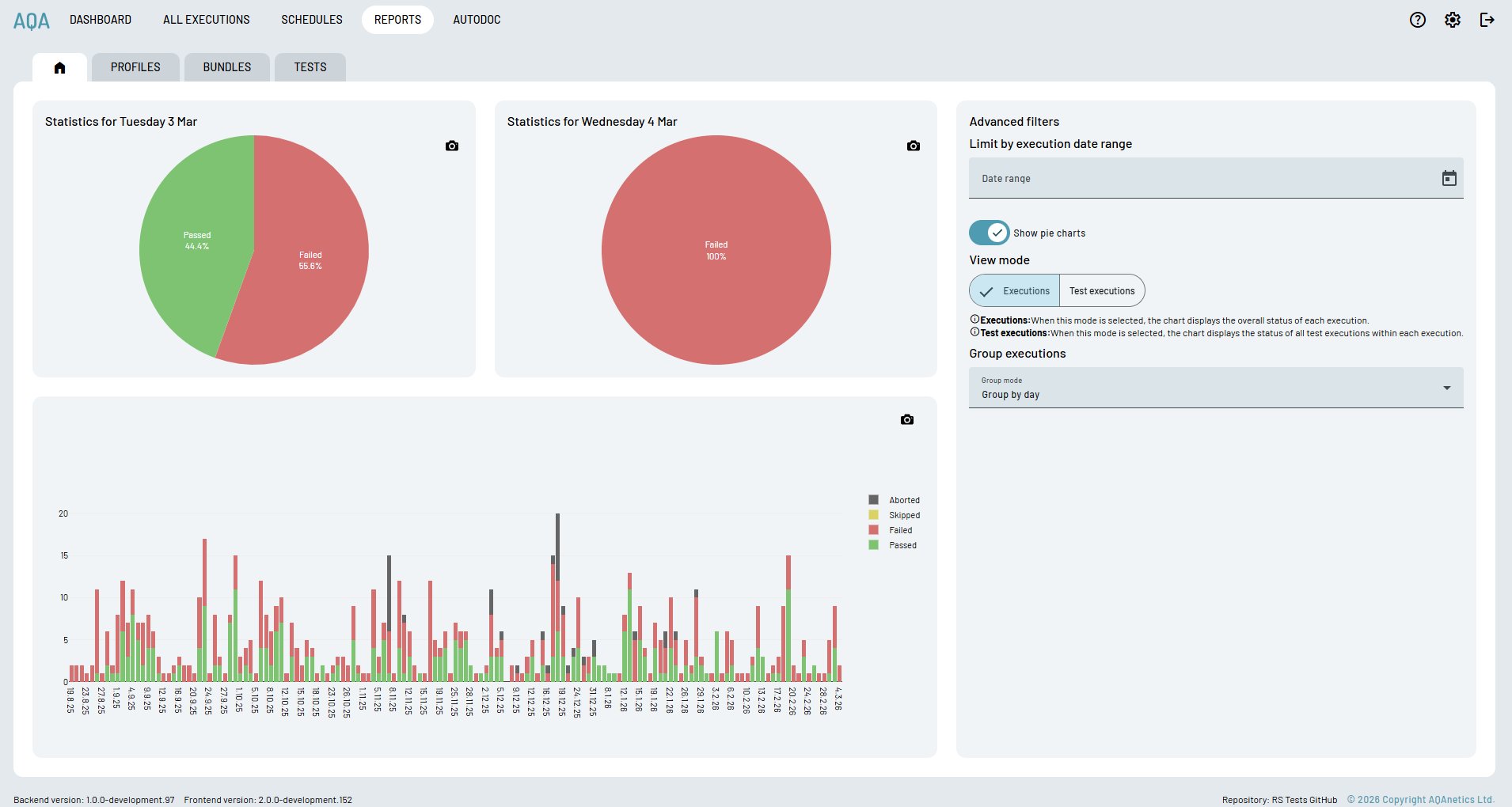
Daily pie charts and a historical bar chart spanning your entire execution history. See at a glance whether quality is improving, degrading, or stable — and share reports with stakeholders who don't need to touch the platform.
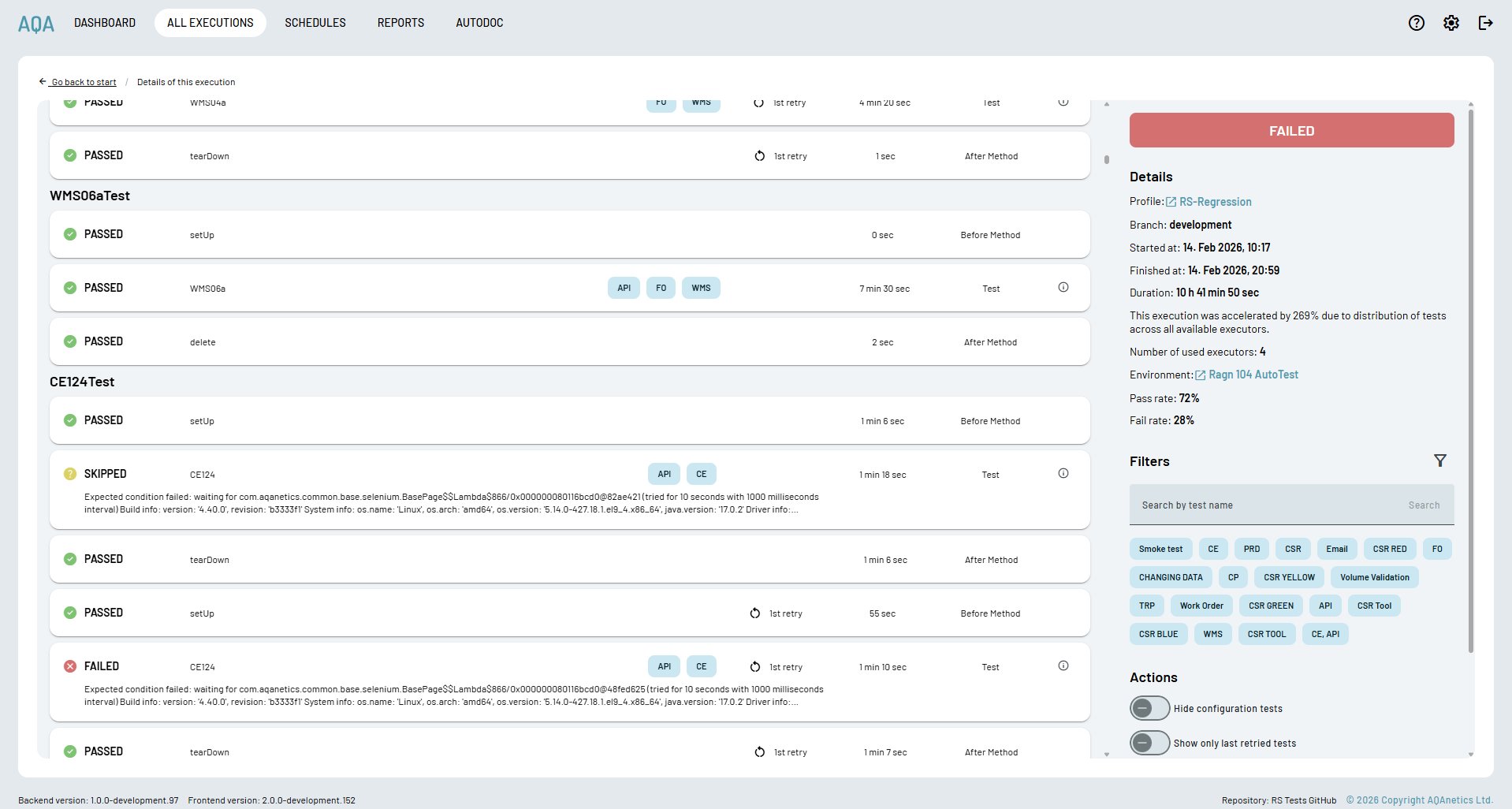
Drill into any run and see each test's full lifecycle — setup, execution, teardown — with per-phase status, duration, retry count, and tag filters. Distributed execution across 4 executors accelerated this run by 269%.
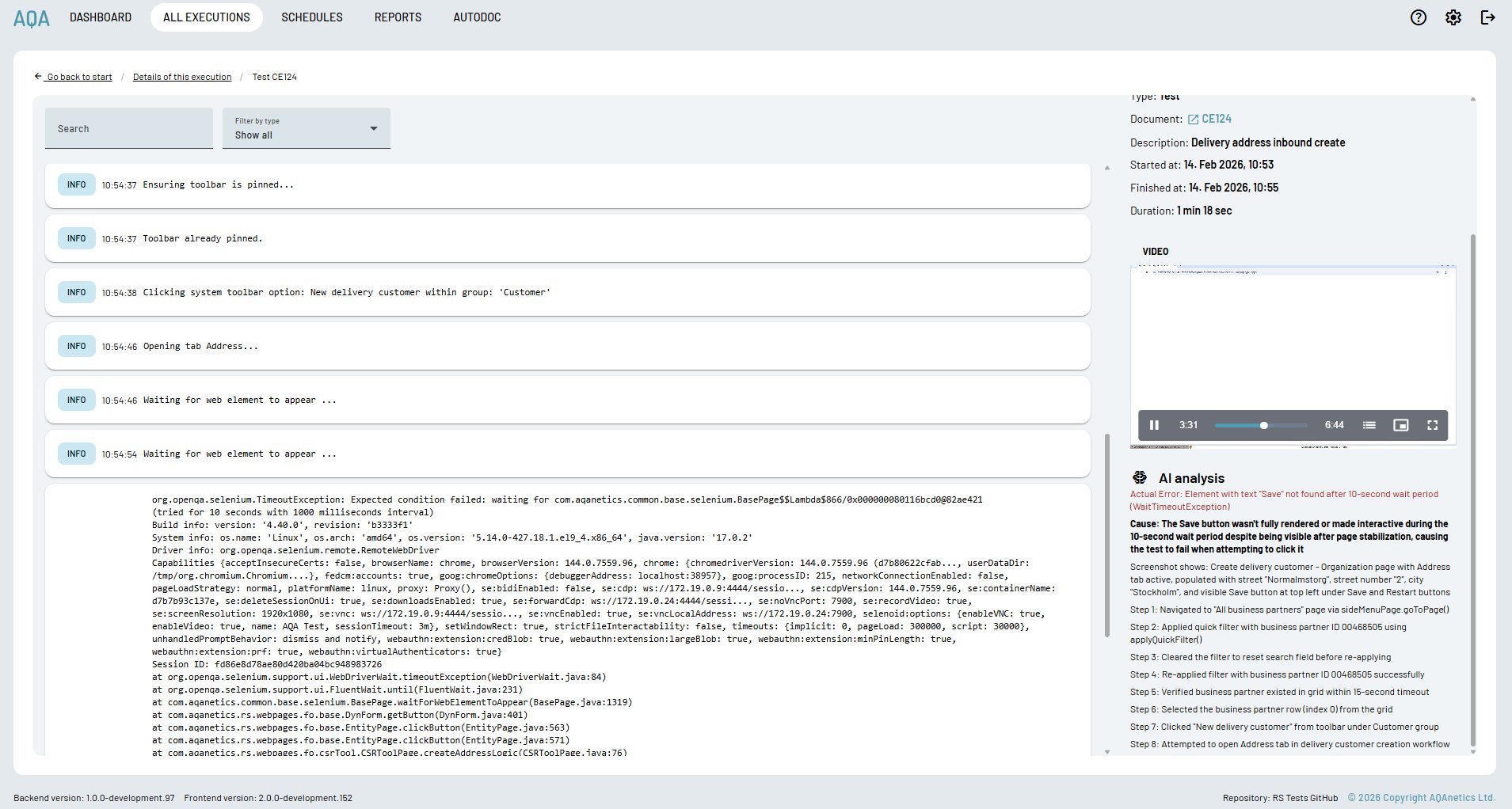
Every failed test gets an AI analysis panel — not just the error, but the cause, what the screenshot shows at the moment of failure, and a step-by-step reconstruction of exactly what the test did before it broke.
AQA parses your test repository, extracts individual tests, and displays them in the platform. No code changes required.
→Group tests into Bundles. Add scheduling and CI/CD triggers to create Profiles. Mix and match for regression, smoke, or module-specific runs.
→AQA spins up Docker containers with Selenium, distributes tests across executors, and runs in parallel. Execution time drops by hundreds of percent.
→Full logs, video recording, and per-phase status for every test. AI analysis explains each failure in plain English with step-by-step context.
→Failures are grouped by root cause and filed as Jira tickets automatically. Reports go to stakeholders. Everything is stored — runs, videos, trends.
AQA replaces a stack of disconnected tools — test management, execution infrastructure, reporting, and bug filing — with a single platform your whole team can use.
Connect your repository and AQA extracts every test individually. Browse, filter, and tag your full test library from the platform without touching code.
Group tests into Bundles for flexible reuse. Wrap Bundles in Profiles with scheduling and CI/CD configuration for fully automated execution pipelines.
AQA provisions Docker containers with Selenium automatically on execution. No infrastructure management. Distributed parallel execution cuts run times dramatically.
Every test execution is recorded. Full step-level logs alongside video — stored on S3, accessible from the platform, timestamped to the millisecond.
Failed tests get an AI-generated explanation: the actual error, the root cause, what the screenshot shows, and a plain-English narrative of every step the test took.
Failures are grouped by root cause and filed as structured Jira tickets with full context. No manual triage. Your backlog reflects real issues, not raw test counts.
Built on Quarkus with PostgreSQL and WebSocket live updates. AQA Trace is our own test reporting server — replacing third-party dependencies with a service we fully control.
Host manual test cases alongside automation — similar to TestRail but integrated. Non-technical team members can manage, review, and report from the same platform.
AQA compares written manual test steps to actual Selenium code using AI. When automation drifts from the spec, you know. No other platform has access to both sides simultaneously.
When a test fails, AQA doesn't just surface the exception. The AI analysis panel explains what went wrong, reconstructs what the test was doing step by step, and describes what was visible on screen at the moment of failure. Non-technical team members can read, understand, and report bugs without touching a log file.
Most platforms either manage manual test cases or run automation. AQA does both — and because it has access to both the written manual steps and the actual Selenium code, it can compare them using AI.
When a developer updates automation code without updating the manual spec — or vice versa — AQA flags the divergence. You always know whether your automation is actually testing what it's supposed to test.
Test cases authored by QA engineers or business analysts in natural language — stored, versioned, and linked to their automation counterpart in AQA.
AQA reads the actual test implementation — what the code does, step by step — and compares it to the written spec using AI to detect drift.
Every test case gets a parity score. When code and spec diverge, AQA flags it before the divergence causes a missed defect or a false pass.
We'll connect AQA to your repository and run your first execution. No setup required from your team — we handle the infrastructure.